Parallels APAC Summit: Lance Crosby Keynote

SoftLayer absolutely loves attending and participating in technology trade shows and conferences. This year we expect to be at 70 – 80 shows around the globe and chances are that if you’re at a technology show, you’ll see SoftLayer shirts in the crowd.

Lance Crosby Keynote

This year we’re lucky enough to be apart of the Parallels APAC Summit held in Singapore. More than 300 technology partners and enthusiasts are attending informative sessions, networking events and likely attending one or two SoftLayer-sponsored parties!

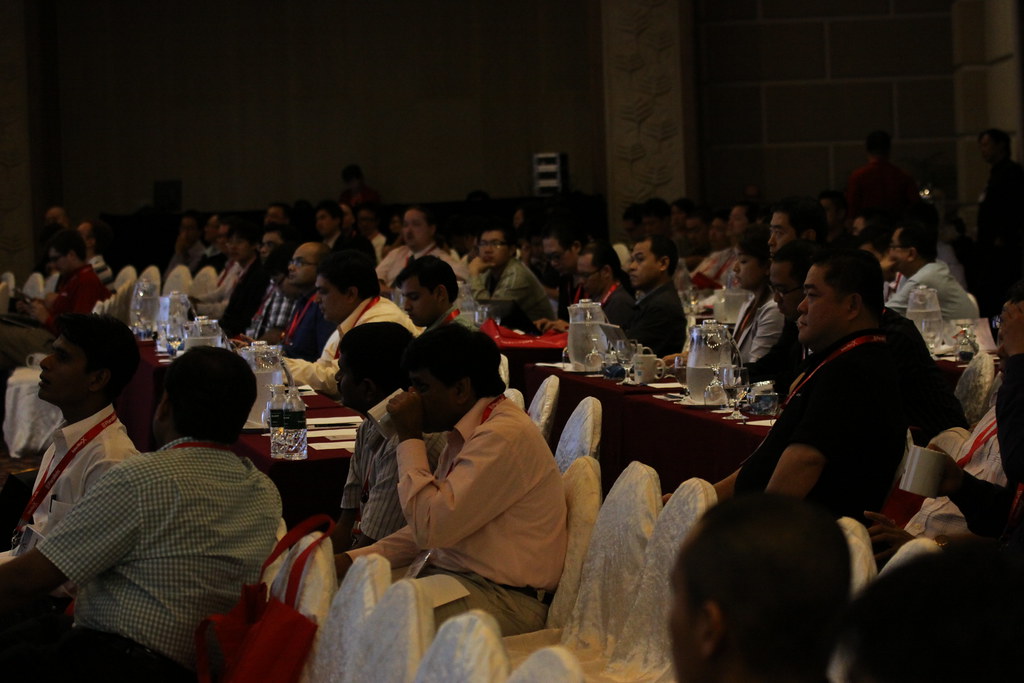
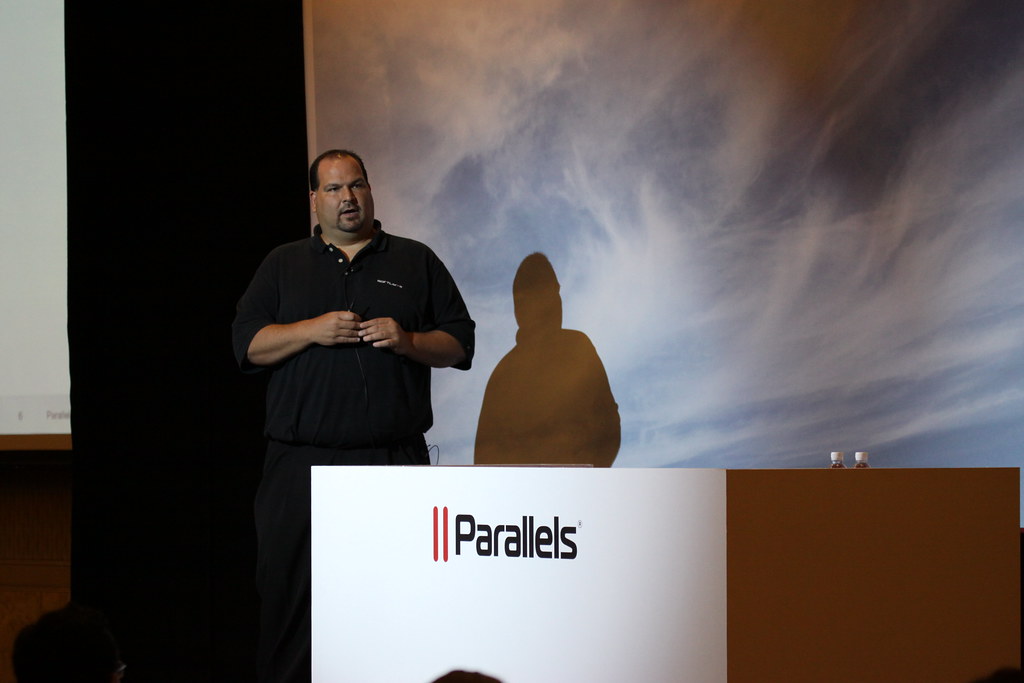
Parallels was also kind enough to invite our CEO, Lance Crosby, to Singapore to keynote today. We had great attendance, nearly a packed room and Lance spoke about where hosting came from and where it is headed.

Lance Crosby Keynote

If you’re interested in hosting, make a living from hosting or you have partners who provide hosting to you, I’d encourage you to flip through Lance’s presentation:

-@toddmitchell

Global Expansion: Singapore Nearing Completion

In early September I shared with you a progress report on our first international data center in Singapore. It should be no surprise that our build out has been moving at breakneck speeds. In the last couple of weeks we’ve:

  1. Completed the construction of our new regional office in Singapore
  2. Built out 3 network PoPs (Tokyo, Hong Kong and Singapore)
  3. Unloaded 4 x 40 foot ocean containers
  4. Received over 100 pallets of equipment and gear – with more to come
  5. Assembled 220 custom server cabinets
  6. Installed 120 customer facing switches (5,760 switch ports)
  7. Provisioned petabytes of new shared storage waiting for your data

We’re also ecstatic to have our new Singaporean employees burning the midnight oil with us. We spent countless hours interviewing for a number of positions in Singapore and we’ve only hired the most talented, brightest stars that we could find. Everyone has fit right in, loves the culture and they’re rocking it. We still have a bunch of open positions – if you’re interested, drop us a note.

As our go-live date approaches we’re putting the final touches on the data center. One last check to ensure all cables are seated correctly in their ports, double check the configurations on our internal equipment, light the network and have our first ever international truck day – although, we might have to call it ocean container day. :)

I’ve included some pictures below that I took over the last couple of days showing the progress of the data center build out. Expect a full set of pictures once everything is live.

-@toddmitchell

UserVoice: Technology Partner Spotlight

Welcome to the next installment in our blog series highlighting the companies in SoftLayer’s new Technology Partners Marketplace. These Partners have built their businesses on the SoftLayer Platform, and we’re excited for them to tell their stories. New Partners will be added to the Marketplace each month, so stay tuned for many more come.
- Paul Ford, SoftLayer VP of Community Development


Scroll down to read a guest blog from UserVoice CEO Richard White. UserVoice offers a complete customer engagement solution that gives businesses a simple process for managing customer feedback and support functions all from a single, easy-to-use environment. To learn more about UserVoice, visit http://uservoice.com/.

The fact that you’re reading this blog post means you probably understand social media. You probably also understand why providing great customer service is important, so I’ll spare you that as well. What you may not know is that there are much better tools to provide outstanding customer service than the ones you’re already using. Here are four big tips for you as you’re planning your support channels:

1. Don’t build a custom contact form.
Building a custom contact form on your website takes valuable time and resources away from your core business. Instead, sign up and get a widget from UserVoice (or one of our competitors) and in less than 30 seconds you’ll have a contact form that supports any number of custom fields you want to add, allows you to append your own customer-specific metadata, supports attachments and, most importantly, will auto-suggest relevant FAQ articles even before the customer submits the form.

2. Don’t use shared email for customer support.
It’s true that you can take managing customer support via a shared email inbox pretty far. You won’t really feel the pain until a couple of issues slip through the digital crack because it wasn’t clear who on your team was responsible for following up with the customer. But why go through that? These days you can choose from a number of inexpensive, purpose-built tools, like UserVoice, targeted at companies that want to provide better customer service. Starting at $5/mo you can have a complete support solution that will grow with your business when you are finally ready to add that 2nd or 3rd support rep to your team.

3. Don’t waste time gathering feedback on message boards.
Scanning message boards to gather user feedback sounds like a good idea, but it’s really painful. Forums are both noisy and insular. Someone posts “I want you to add X” then a few people reply “+1″ but then someone else says “I think X is good but only if you do Y to it.” Very quickly you don’t know what anyone really wants. And you especially don’t have an easy way to follow-up with people directly. Worst of all, you’re only hearing from a vocal minority. Casual users won’t go into your forums and won’t wade through 10 pages of +1′s to add their voice, they’ll just give up.

UserVoice Feedback gives you a better way to harness customer feedback and turn it into something useful. It starts with a simple prompt: How can we make ___insert_your_company___ better? Customers give their feedback and vote up the best ideas. It’s easier for customers to get involved and give you feedback, and it’s much easier for you to follow-up and keep these important customers in the loop.

4. Don’t hide from your customers.
This really should be the first recommendation. The sad fact is, people still don’t expect great customer service, and they certainly don’t expect you to be ready and willing to listen to their feedback, especially with that small gray “contact” link buried in your footer. Show customers that their experience and their feedback is important, nay, vital to your business. Put a big link at the top of the page, or a widget on the side of it. Something that tells people you’re not “business as usual.” Show them you really care.

I started UserVoice because I wanted to make doing all of these things simple so that companies could focus on what really matters: building their products and communicating with their customers, not setting up all this stuff. I hope you’ll find it as useful as our thousands of existing customers have in getting you back to work. :)

-Richard White, UserVoice

SoftLayer.com Website Refresh

Recently, the SoftLayer Marketing team refreshed our corporate website. You may have already seen one of the most obvious changes: an updated homepage.

While minor updates to the look and feel of the site have been made over the last two years (adding solid colors to the main tabs, increasing the use of text inside buttons, etc.), the essential layout of the homepage hasn’t changed since December of 2008! We were due for a refresh.

Our updated homepage features a simplified layout with new graphics. Special offers and new products get a large-format banner, which clearly introduces visitors to what we are offering in a way that is more eye-catching than before. Check out the difference between the old-style banners and the new-style banners:

BEFORE
SoftLayer.com Homepage

NOW
SoftLayer.com Homepage

Below the main banner, we replaced the solid red banner shapes with ones that incorporate photos and colorful graphical elements. Here’s the new design for our Dedicated Server and CloudLayer Computing banners:

SoftLayer.com Homepage

Our primary navigation layout has also changed. We now highlight our three main product offerings – Dedicated Severs, CloudLayer Computing, and Managed Hosting – with red tabs that contrast with our other grey tabs, as shown below:

SoftLayer.com Homepage

We have also re-organized many of our information pages to make our offerings more clear and to make content easier to find.

The list of changes goes on — enhanced contact buttons on the right of each page to make it easier for website visitors to get ahold of us, a new approach to links at the top and bottom of every page, and so on.

And while the changes we added in this recent site update add a refreshing look and feel, we are by no means finished. You’ll find a lot more going on at http://www.softlayer.com in the weeks and months to come.

-Brad

Tips for the Unseasoned Traveler

This year has been exciting for me at SoftLayer. I took on a new role here as a member of our marketing team, and in that role, I’ve played a big role in our trade shows. We participate in a huge number of trade shows each year, and I’ve been lucky enough to meet thousands of current and (hopefully) future SoftLayer customers. To give you an idea of how often I’m on the road, I probably spend about 2-3 weeks each month away from home … And that means I am in airports all the time.

I happen to be one of those weirdos that actually enjoys traveling, but honestly, the travel experience at airports and on planes can be pretty annoying at times, so I thought I’d put together some traveling tips before my next trip so I can hand out the URL when I see violations. Here’s the short list of tips I’ve come up with in my travels:

At the Airport

  • When going through security do not choose the “Expert Traveler” line if you are not an expert. The experts will know you don’t belong, and we will sneer at you.
  • The security line is not the time to make jokes on terrorism. In fact, there’s never a good time to make jokes about terrorism, especially at an airport.
  • If you are selected for random screening, please do not throw a fit. The officer doing the pat down probably isn’t trying to make a pass at you and hates the process just as much as you do.
  • If your boarding pass says Group 5 there is no point in huddling near the boarding area when the airline representative has called Group 1. You are the reason the boarding process is moving slowly.

Boarding the Plane

  • When the flight attendant announces that everyone should move into their row so other passengers can get by you, he/she is probably talking about you.
  • If you have a small enough bag to place under the seat in front of you, please do so. There is a person in Group 6 with a full size carry-on bag that would rather not have to check his bag because your shopping bag is taking up his valuable space.
  • If you are seated in the back of the aircraft, don’t place your bag up in the front bin just so you do not have to roll it to the back. The people sitting in the front of the plane would rather not have to wait for everyone to get off the plane so they can walk to the very back to retrieve their bag.

On the Plane

  • You aren’t fooling anyone by trying to hide your cell phone between your knees after the cabin door closes.
  • If the person next to you puts on their headphones it probably means they are not interested in having a flight long conversation about your life.
  • Please don’t get mad at me if I decide to put my seat back. If you need more legroom, spring for First Class or at least an exit row. If you absolutely need me to stay upright, ask me nicely, and you’ll have a lot better chance that I’ll be able to help you out.
  • I got the window seat so I wouldn’t have to get up if someone next to me needed to get into the aisle … You got the aisle seat with a little extra room, so please don’t have an attitude if I need you to move to get into the aisle. That’s the tradeoff.
  • Yes, the armrest is shared, so you have a right to half of it … This means that if your arm is on my half of the armrest and you’re in my personal space, we have a problem.
  • If you decide to talk to the person sitting next to you on the flight, please keep your voice down. People five rows behind you are not interested in your conversation.

And lastly …

  • Do not eat foods that may make you gassy before you travel. Passing gas in a plane where air is re-circulated is not cool.

Safe travels!

-Summer

Save Energy with Smart Strips

Smart Power Strip

We all should all know by now that electronics that are turned off are still consuming energy in a phenomena called vampire electronics. Certain electronics like tv's, computers, speakers, dvd and blu ray players are all charging you extra wattage on your utility bill even though these products are switched off. Now, I don't know about you, but that does not make me a happy camper. Luckily, there exists this awesome product to help you in your journey of lowering your energy bill and thus saving the environment. It is called a smart strip. It works by cutting off the vampiric energy by using a master product such as a tv or computer that when switched off will switch off the peripheral devices connected to the strip as well. If you have a lot peripheral devices, you can get a smart strip with 10 outlets.

So say you have a plasma tv, DVR set, blu ray player, surround sound audio system, xbox, and a mac mini connected to your tv like I do. You would plug the your plasma tv into the master switching device, the DVR set would plug into the always on plug since you don't want that device off when your favorite shows are recording, and everything else gets plugged into the peripheral plugs. Now when your TV is off, it will automatically switch off all the other devices and stop them from wasting wattage. Depending on the devices hooked up, you could be saving some serious wattage which will add up to significant savings over the long run.

To help you find out exactly how much watts you are saving, their is another nifty product for that too, it's called Kill A Watt Electricity Usage Monitor. They typically run for $15 to $20 on Amazon. The cool thing about this product though is that you plug in your electronic device into the monitor and it will display how much watts it's actually using when the device is on, and when it is off as well to see what vampire effect your turned off product is using. Obviously, this part isn't required to help you green your home, but it is a really nice tool to have to help you identify what electronics in your home are using the most energy.

I am telling you, once you get thinking about how you can cut your energy costs down in terms of watts and in terms of dollars, it becomes insanely addicting. You even inadvertently become more aware of the things that you turn on and off on a regular basis. So just being aware of trying to save energy can have the positive side effect of you turning things off more promptly than you might have otherwise done in the past.

To get you a rough estimate of savings, their is a really cool energy savings calculator I found online. You can use it to estimate your savings by how much your state charges in kilowatts from your utility bill. This is a good tool to help make a financial decision since products like led lighting and these smart strips can be a little costly upfront. The savings are clear in the long run though, and are evident on your monthly bill from the power company.

Let us know if you've had success with these smart strips and how much watts and dollars you've saved.

Environmental LED Lighting

Environmental LED Bulb

I just have to say that something came over me when I got a utility bill that was about 15 % higher than my normal bill and it got me obsessed with trying to lower it. What better way to do that than with a full assessment of my energy usage? I often never really thought about my energy usage because I live in a studio apartment, and my bills were never really that much...but I challenge you out there to do your part.

I think the first place to start is by asking yourself: Are ALL of my lightbulbs energy efficient? For me the answer was NO...tisk tisk I know. I have some track lighting - 4 lightbulbs (PAR30 size) that are sucking 65 Watts a piece! How Dare I!!!

I did some research and found this expensive environmental LED lighting alternatives...for $30 I found a GE LED bulb including shipping. Now just as a sanity check, this same bulb was on sale in Ace Hardware for $45 (I just checked yesterday) so this is a steal. But don't forget that there are some sellers on ebay selling led bulbs for a steal as well. I'm a big proponent of led bulbs since their energy consumption is so low AND they are not toxic (CFL's have dangerous mercury in them) when tossing away. But the other good thing about these bulbs is their lifetime. Some boast 20,000 to 50,000 hours of use...I calculated that if you use these bulbs for 5 hours a day everyday, they would last between 11 and 28 years!

There are some 6W environmental LED lighting bulbs I found on Amazon for $9.85 a pop. These might be worth replacing even your 15W or 20W CFL's that you might have around the house. At 6 Watts per bulb, my CFL's look like energy hogs!

LED lighting is going to be the future of lighting, so why not snag some now and start watching your energy bills go down today. I'll follow up with another post on more ways you can save on your energy bill.

Below is a guide that I pulled from Amazon just as an FYI about bulbs with some added notes of course:

Choose the Right Bulb for Your Lighting Needs ( just keep in mind the wattage)
One bulb is as good as another, right? Actually, no. Choosing the correct light bulb for your various fixtures can save energy, increase safety, and help create the right ambiance. But it's not always easy to select the right bulb. Use the following guide to help determine the appropriate bulbs for your fixtures at home.

Bulb Type Basics

Incandescent:

The incandescent bulb is the one most people are familiar with. Light is created by passing electricity to a filament and heating it until it glows a warm, white light.

Advantages: These bulbs are usually inexpensive, produce a pleasing and consistent white warm light, and are dimmable. Incandescent bulbs are good for many household applications.

Disadvantages: They generally have a short life compared to other bulbs, and they waste energy since they transform energy into heat rather than light, which makes them hot to the touch. In fact, 90% of the energy is lost by producing heat instead of light...it's very inefficient.

Halogen:

A halogen bulb is an incandescent bulb that uses halogen gas and a filament to generate light. To perform properly, the operating temperature of the bulb filament is very high and the halogen gas must be at the appropriate pressure. Quartz glass is used to protect against the increased heat.

Advantages: These bulbs produce a bright white light, tend to have a long life compared to standard incandescents, are dimmable, and offer good beam control. Halogen bulbs are great for displays, accent lighting, task lighting, and under-cabinet usage.

Disadvantages: They're more costly than incandescents and are also very hot to the touch.

CFL:

To produce light, CFL bulbs use the interaction between mercury and other gases; the resulting glow mimics the warm, white light of incandescents.

Advantages: CFLs are energy efficient and are an easy replacement for inefficient incandescents. They tend to have a long life and come in a wide range of shapes, colors, and sizes. CFLs are great for use at home, as well as commercial, institutional, and industrial buildings.

Disadvantages: They tend to cost more than incandescents and are temperature sensitive. All linear fluorescents require separate ballast. Also, disposing of these can be some trouble, since the mercury in the bulbs are toxic, you must handle these with care and make sure they are recycled properly.

LED:

An LED bulb houses clusters of light-emitting diodes--tiny electronic chips that glow when electricity passes through them--instead of filaments or gasses.

Advantages: LEDs have a longer lifespan than incandescents because of their energy efficiency (manufacturers are testing Energy Star qualifications), are durable and low maintenance, and are ideal for spotlighting artwork because they don't emit ultraviolet or infrared light, which can often cause fading and other damage.

Disadvantages: LED bulbs tend to be on the expensive side--plus, since they serve as directed light sources, they aren't ideal for ambient lighting.

Green Local Jobs – Interviews Conducted with Portland Experts

GreenLocalJobs.com is proud to announce the launching of its Portland, Oregon featured webpage.

Featured Articles from Interviews Conducted with Local Portland Experts

TOM BREUNIG
Director Of Marketing And Communications
Earth Advantage Institute
• Any job can be green. Look for opportunities to make an environmental impact in careers that are not traditionally thought of as green.
• Energy efficiency is vital to the growth of green building industry because it is very cost effective. Retrofitting residential and commercial buildings can save significantly on energy costs.

Earth Advantage Institute offers certification, education, research, and technical services to the growing green building industry. Tom Breunig, Director of Marketing and Communications, pointed out the Earth Advantage Institute's role in sustainable construction. Green building classes are offered for builders, real estate professionals, appraisers, and lenders. Multiple types of certification can be acquired through the Institute.

In addition, this organization, conducts research into new techniques and practices in sustainable building. The Portland area is a national leader in green building technologies and a great place to learn this growing trade.

JENN BILDERSEE
Program Coordinator
Portland Brownfield Program
• A variety specializations, including biology, chemistry, real estate, urban planning and public policy can lead to a career in managing contaminated site cleanup programs.
• Find internships in public and private organizations if you are looking for specialized environmental careers such as brownfield development.

Brownfields are empty lots seen in every city that may or may not contain pollutants and contaminants. Jenn Bildersee coordinates the Brownfield Program for the city of Portland, Oregon and helps the public report, identify and test these lots for contaminants such as PCBs, petroleum, lead or arsenic. Often, the tests come back negative and the owner of the property is free to use it without worrying about harmful pollutants. When a brownfield tests positive, the city can direct the owner to the proper resources for removal of the pollutants.

Portland was the first of many city governments to test brownfields. City government will always have a need for environmental education, environmental cleanup programs, and environmental code enforcement. Cities need dedicated professionals to insure the quality of life and health of its citizens.

STACY HOLTMANN
Office Manager
Ecotrust
• Focus on one area that you want to get involved with. If you are too broad in your search you will overwhelm yourself and it will be harder for organizations to find the right fit for you. By focusing on one area you differentiate yourself.
• Networking opportunities abound if you get involved with a project or an issue. The more meaningful events will be harder to find, but much more worthwhile. There are groups that you can get involved with that have networking nights such as Net Impact, or Oregon Environmental Council.

Ecotrust's mission is to "innovate, invest, and inspire in ways that create reliable prosperity," and they have an impressive list of innovative green programs that do just that.

These programs are run by committed environmental professionals, such as Stacy Holtmann, in the Portland Oregon Ecotrust office. In addition to marine and forestry programs, Ecotrust runs a local food-to-farms program that creates a sustainable local food economy by connecting regional agriculture to schools.

SANDY PICKARD
Business Manager
Solar Energy International
• Take classes at Solar Energy International. Workshops are offered in solar, thermal, green building, and even hydro technologies. Classes are offered in twelve locations around the US.
• Roofers can improve their skills by taking classes in solar energy installation.
• Solar energy installation and commercial size energy efficiency projects are the hottest areas of green technology.

Solar Energy International has been providing education in solar and other renewable energy technologies for 20 years. They have become one of the premiere institutions for accredited renewable energy workshops and offer classes in a number of locations.

Business manager Sandy Pickard highlighted the important work this non-profit does through their educational mission. Solar Energy International has expanded to include workshops in solar electric, solar thermal, micro-hydro, and wind energy. Classes are also offered online.

CHRIS STEVENS
Communications Director
Center For A Sustainable Future
• Organic farms offer volunteer positions, and can be good places to learn renewable agriculture.
• Iowa State University has a great educational resource: The Leopold Center for Sustainable Agriculture at Iowa State is a great place to learn about the newest advances in sustainable agriculture.
• Another excellent resource, The Stone Barn Center, (north of Manhattan) is a non-profit education center and farm. They offer education for sustainable agriculture.

The Center for a Livable Future (CLF) at John's Hopkins university works in research, educational outreach, and community action targeted at "farming, eating, and living for our future." As Communication Manager for the CLF, Chris Stevens works daily in support of these goals.

Sustainable, or resilient, farming has recently gained exposure with the continued environmental and health problems associated with factory farming. In essence, much of sustainable farming is really a "return to traditional farming," Chris explained. In traditional, or sustainable, farming, animals are not raised in a factory environment in very confined spaces and large amounts of dangerous antibiotics and pesticides are avoided.